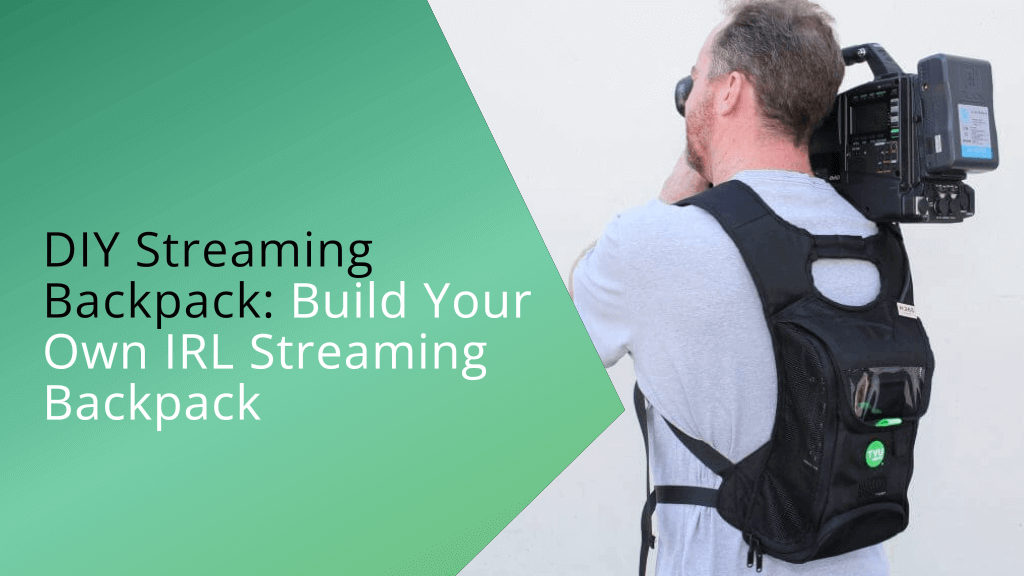
Build Your Own IRL Streaming Backpack: The Ultimate Guide
The world of content creation has dramatically evolved, moving beyond static studio setups to embrace the dynamic, unpredictable thrill of "In Real Life" (IRL) streaming. Imagine sharing your mountain trek, city exploration, or daily adventures live with a global audience, all while maintaining high-quality video and a stable connection. This dream is now an accessible reality, thanks to advancements in mobile technology and a ingenious piece of gear: the **IRL streaming backpack**. Far from being a luxury reserved for professional broadcasters, building your own custom streaming backpack empowers solo creators, hobbyists, and early professionals to broadcast their unique experiences without the need for an elaborate crew or cumbersome equipment. Just a decade ago, truly mobile, high-quality live streaming was a significant challenge. However, with robust improvements in hardware and ever-increasing mobile network speeds, IRL streaming has blossomed into a popular and powerful medium. Pioneers like Justin Ignacio (Gunrun), a former Twitch employee, recognized this potential. Inspired by companies like LiveU, which traditionally provided mobile video transmission solutions for sports and news, Gunrun began experimenting with consumer-grade hardware and cloud-based technologies around 2018. His efforts led to the development of the "Gunrun IRL backpack," a seminal design that paved the way for many of today's popular mobile streaming solutions. Now, whether you're navigating bustling city streets, participating in extreme sports, or simply documenting your travels, a custom-built **streaming backpack** allows you to deliver a seamless, high-quality feed, free from the constant worry of lag or dropped connections.What is an IRL Streaming Backpack and Why Build One?
At its core, an **IRL streaming backpack** is a fully self-contained, portable video broadcasting system designed to transmit live footage from almost anywhere. Think of it as a mobile studio, allowing creators and organizations to stream high-resolution video—often up to 4K—to popular platforms like Twitch, YouTube, and Facebook Live directly from the field. The primary allure of this mobile streaming solution lies in its unparalleled portability. Gone are the days of lugging around heavy, expensive filming and broadcasting equipment. A well-designed streaming backpack consolidates all necessary components into a manageable, wearable package, freeing creators to focus on their content rather than their gear. This mobility translates into immense creative freedom; you can venture into environments previously impossible for live broadcasts, capturing authentic moments as they happen. Another significant advantage is the inherent flexibility it offers. Unlike off-the-shelf, fixed solutions, building your own **streaming backpack** gives you complete control over your hardware choices. You decide on the camera that best suits your vision, the audio equipment that captures your voice perfectly, and the networking solution that provides the most reliable connection for your specific needs. This customization not only allows for a setup tailored to your exact requirements but can also be a more cost-effective approach than purchasing pre-built, high-end commercial systems, especially for those starting out. It's about crafting a personalized streaming arsenal that ensures high-quality footage without concerns of lagging or a poor connection, putting the power of professional-grade mobile broadcasting directly into your hands.The Technology Behind Seamless Mobile Streaming: Cellular Bonding
The magic behind the reliability of an **IRL streaming backpack** in remote or challenging network conditions lies in a sophisticated technology called cellular bonding. This isn't just about using one strong mobile connection; it's about intelligently combining multiple independent mobile connections to forge a single, more robust, and highly stable internet link. Imagine trying to fill a bucket with water using a single garden hose that might occasionally kink or lose pressure. Now, imagine using three or four hoses simultaneously. Even if one hose kinks, the others keep the water flowing efficiently. Cellular bonding works similarly for your internet connection. By utilizing SIM cards from two, three, or even more different mobile network providers, your streaming backpack gains increased bandwidth and, crucially, protection against signal dropouts. If one provider's signal weakens in a particular area, the bonding device automatically shifts more data through the other available connections, ensuring your live stream remains uninterrupted and smooth. This advanced method is not new; it's the very same technology that news and sports presenters have relied on for years to broadcast live footage from remote locations where traditional wired internet is unavailable or unreliable. For the average IRL streamer, this means unparalleled peace of mind. With coverage from multiple providers, you're not just getting increased upload speeds; you're also gaining critical redundancy and resilience against the unpredictable nature of mobile broadband. This makes your **streaming backpack** a truly reliable tool for delivering high-quality, live content from virtually any location. To delve deeper into the technical intricacies of how this crucial technology powers your mobile broadcasts, check out our detailed guide: How IRL Streaming Backpacks Work: Cellular Bonding Explained.Essential Components for Your DIY Streaming Backpack
Building your ultimate **streaming backpack** is an exciting journey that involves carefully selecting and integrating several key pieces of technology. The right combination will ensure a smooth, high-quality broadcast every time.Video-Capturing Device (Camera)
This is your eye to the world. Your choice here significantly impacts your stream's visual quality and your overall setup's portability.- Smartphones: Modern flagship smartphones boast incredible cameras, often capable of 4K video. They are convenient, compact, and integrate easily with mobile apps. Ideal for casual streaming or when weight is a primary concern.
- Digital Cameras (Mirrorless/DSLR): For professional-grade image quality, better low-light performance, and creative control (interchangeable lenses), a mirrorless or DSLR camera is superior. Many offer clean HDMI output, essential for encoders.
- Action Cams (GoPro, DJI Osmo Action): These are built for durability and stability, making them perfect for extreme sports, vlogging in rugged environments, or any scenario requiring a wide-angle, shake-free perspective. Their small size is a huge plus.
For capturing immersive environments like landscapes or cityscapes, wide-angle lenses are an excellent choice. When considering any camera, ensure it can output a clean, uncompressed video signal (usually via HDMI) to your encoder.
Video Encoder
The encoder is the brain that translates your camera's high-quality video signal into a streamable format. It compresses the video and sends it to your cellular bonding device. While some cameras have basic streaming capabilities, a dedicated hardware encoder offers superior compression efficiency, lower latency, and more robust features, which are vital for a professional-looking stream. Look for encoders that support various inputs (HDMI is common) and multiple output bitrates.Cellular Bonding Device
This is the heart of your mobile connectivity, utilizing the cellular bonding technology discussed earlier. These devices typically house multiple SIM card slots and intelligent software to manage and combine those connections into a single, reliable internet stream. Brands like LiveU, Peplink, and others offer solutions ranging from compact, single-user units to more robust, multi-SIM devices designed for heavy data usage. Your choice will depend on your budget, the number of SIMs you plan to use, and your desired level of reliability.Power Solution
Live streaming, especially with multiple devices, is power-hungry. A reliable power solution is non-negotiable for extended streams.- High-Capacity Power Banks: Look for power banks with capacities upwards of 20,000mAh, preferably with multiple USB-A and USB-C (Power Delivery) outputs to charge various devices simultaneously.
- V-Mount/NP-F Batteries: For professional cameras and encoders, dedicated V-mount or NP-F style batteries offer robust power and can often be hot-swapped for uninterrupted operation.
- Power Distribution Hubs: These allow you to power multiple devices from a single large battery, simplifying cable management.
Always carry spare batteries or a high-capacity power bank as a backup. Monitoring your power consumption during tests is crucial to estimate your stream duration.
Audio Equipment
Clear audio is just as important as good video. While built-in camera mics can suffice in quiet environments, dedicated audio solutions dramatically improve quality.- Lavalier Microphones: Small, clip-on mics (wired or wireless) are excellent for capturing your voice clearly, minimizing background noise.
- Shotgun Microphones: Mounted on your camera, these are great for capturing ambient sounds or a subject's voice from a short distance.
- Wireless Audio Systems: For maximum freedom of movement, a wireless lavalier or handheld mic system is invaluable.
Consider a small audio mixer if you need to manage multiple audio sources (e.g., your voice and background music).
The Backpack Itself
More than just a carrier, the backpack is a critical component.- Comfort and Ergonomics: Look for a backpack with good padding, adjustable straps, and a hip belt, especially if you'll be wearing it for long periods. Weight distribution is key.
- Accessibility: Multiple compartments and easy-access pockets for batteries, cables, and smaller devices will save time and frustration.
- Ventilation: Electronic equipment generates heat. A backpack with good airflow helps prevent overheating.
- Weather Resistance: If you're streaming outdoors, water-resistant or waterproof materials, or a rain cover, are essential for protecting your valuable gear.
Padded compartments or modular inserts are vital for protecting your delicate electronics during transit.
Tips for Building and Optimizing Your Streaming Backpack
Successfully deploying your **IRL streaming backpack** involves more than just assembling components; it requires careful planning, rigorous testing, and continuous optimization.1. Define Your Streaming Goals
Before purchasing any equipment, clearly define what you intend to stream. Are you covering extreme sports, quiet travel vlogs, urban exploration, or daily life? Your specific use case will heavily influence your camera choice, audio needs, battery capacity, and even the type of backpack. For high-action content, durability and stability are paramount, while for immersive travel, image quality and a wide field of view might take precedence.2. Budget Smartly
Building a **streaming backpack** can range from a budget-friendly setup using existing smartphones to a professional-grade system costing thousands. Prioritize components that directly impact your primary goal (e.g., a good camera for visual streams, a reliable bonding device for remote locations). You can always upgrade specific components later. Don't forget to factor in ongoing costs like multiple SIM card data plans.3. Test, Test, Test (and Then Test Again!)
This cannot be stressed enough. Before you go live in an important situation, thoroughly test every aspect of your setup:- Connectivity: Perform test streams in various locations, especially those you plan to stream from, to assess signal strength and bonding performance.
- Battery Life: Run your entire setup for an extended period to accurately gauge battery drain and determine how long you can stream.
- Audio Quality: Record test footage to ensure your microphone setup captures clear audio and minimizes unwanted background noise.
- Video Quality: Check for correct resolution, frame rates, and any encoding artifacts.
- Heat Management: Monitor your devices for overheating, particularly the encoder and bonding device, during long streams.
4. Embrace Redundancy
Murphy's Law applies to live streaming. Always have backups for critical components. This might include:- Extra fully charged batteries.
- A backup SIM card from a different provider.
- Redundant cables.
- Even a secondary, less elaborate phone setup for emergency broadcasts.
The goal is to minimize single points of failure that could derail your stream.